
In the purchase order detail page you find all information of the purchase order sent by the customer.
The detail page is grouped in the following areas.
Basic Data
Basic data area contains the header data of a purchase order like ID, Contact person, date, delivery- or payment conditions and longtexts, if any maintained by the customer.
Depending on if all items have the same delivery address you find the delivery address on header level. If the delivery address is different on item level, you have to go into the item details to see the correct delivery address.
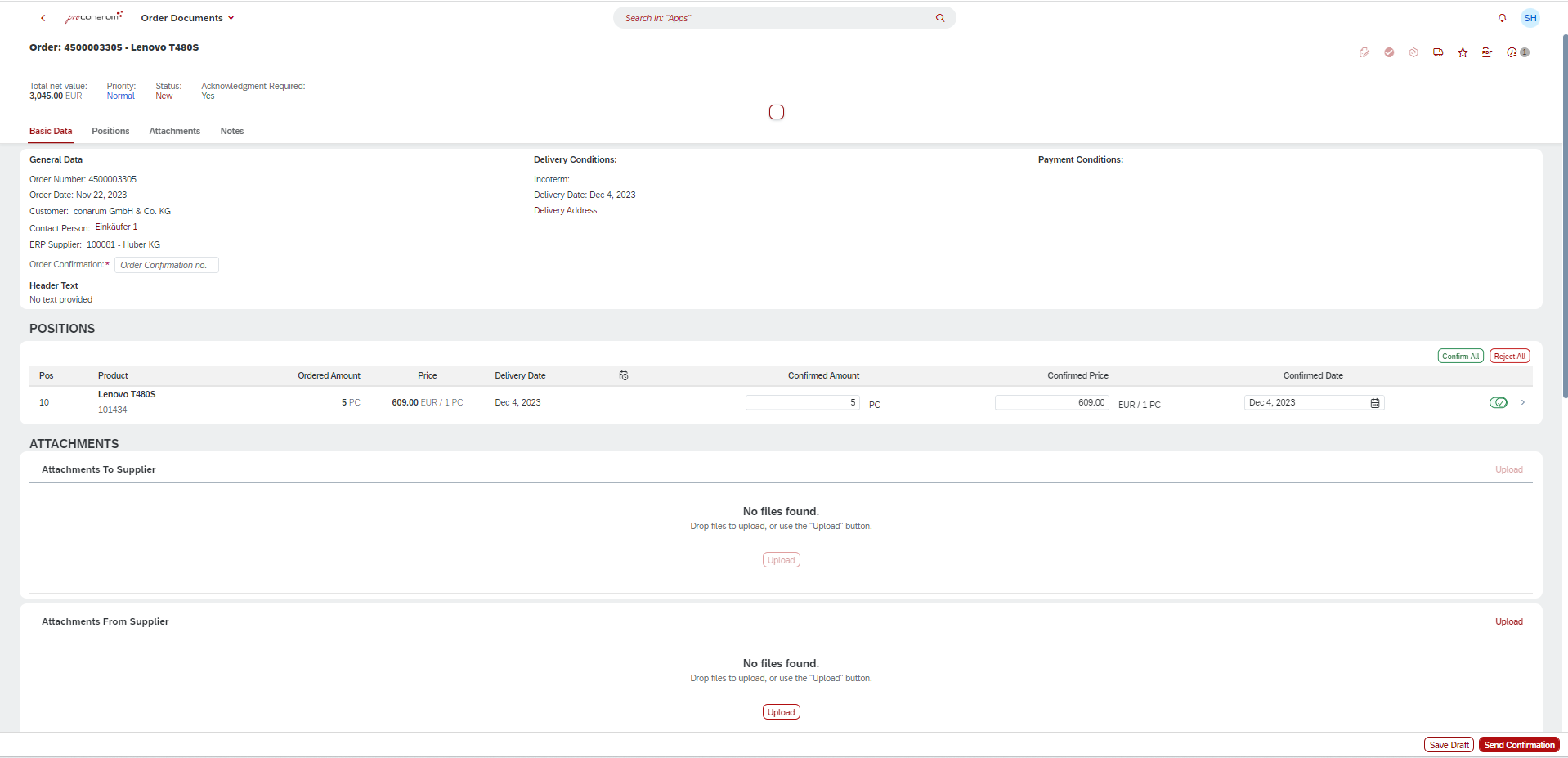
Position area
You find a table overview of the item of the purchase order. You can click on an item. The system navigates you to the purchase order item details.
In the item details you can maintain scheduling lines, order confirmation number on item level, price or amount.
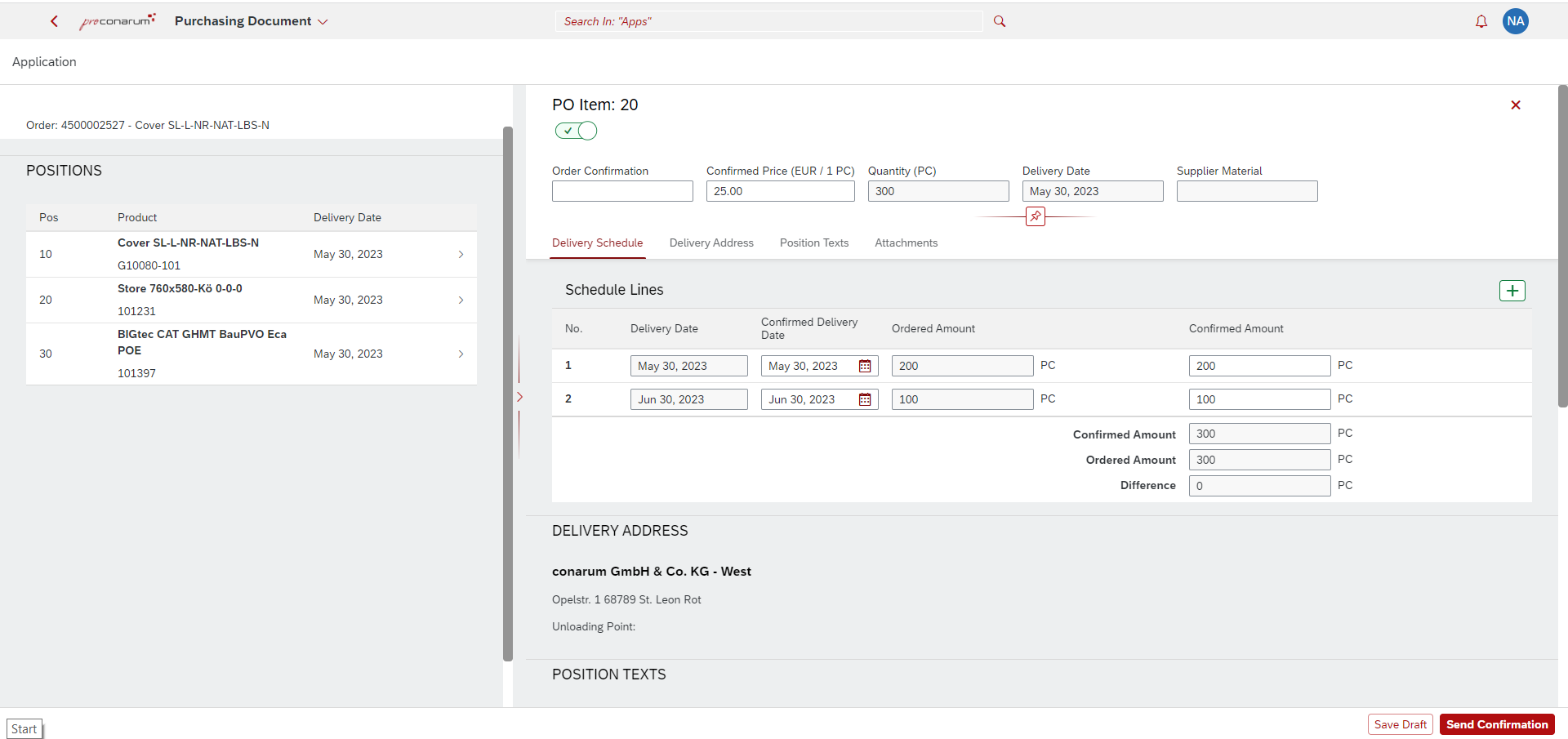
Also you find attachments, which are assigned the purchasing document item.
Attachments To Supplier area
The documents attached to the purchase order by the supplier are shown and can be downloaded.
Can can define a filter, which documents shall be sent to proconarum.
Attachments From Supplier area
The supplier can attach one or more documents to the purchase order confirmation. The documents are stored in the cloud and are not transfered to the SAP ERP system.
Notes
When a supplier enters the confirmation data, he can enter additional notes on header or item level. Depending on the settings the notes are transfered to the SAP ERP system.